Viewing the Catalog
Audience: All
Overview
Initially, when you log into your standalone Backstage App, Home is selected in the sidebar, which displays the Catalog in the main panel.
There are four main entities that you should become familiar with:
Components- Individual pieces of software that can be tracked in source control and can implement APIs for other components to consume.Resources- The physical or virtual infrastructure needed to operate a component.Systems- A collection of resources and components that cooperate to perform a function by exposing one or several public APIs. It hides the resources and private APIs between the components from the consumer.Domains- A collection of systems that share terminology, domain models, metrics, KPIs, business purpose, or documentation.
The Technical Overview provides a description of all of the types of entities displayed in the Catalog.
It should be noted that you can also create your own kinds of entities, if you need to model something in your organization that does not map to one of the existing entity types.
Initially, the Catalog displays registered entities matching the following filter settings:
Kind- ComponentType- allOwner- OwnedLifecycle- list of lifecycle values of entities in the CatalogProcessing Status- normalNamespace- The ID of a namespace to which the entity belongs
You can change the initial setting for the Owner and Kind filters.
Informational columns for each entity
For each kind of entity, a set of columns display information regarding the entity. For example, the default set of information for a Component is:
Name- the name of the componentSystem- an optional field that references the system to which the component belongsOwner- the owner of the componentType- common types are as follows, but you can create a new type to meet your organization's needsservice- a backend service, typically exposing an APIwebsite- a websitelibrary- a software library, such as an npm module or a Java library
Lifecycleexperimental- an experiment or early, non-production component, signaling that users may not prefer to consume it over other more established components, or that there are low or no reliability guaranteesproduction- an established, owned, maintained componentdeprecated- a component that is at the end of its lifecycle, and may disappear at a later point in time
Description- an optional field that describes the component.Tags- an optional field that can be used for searchingActions- see Catalog Actions
You can modify the columns associated with each kind of entity, following the instructions in Customizing columns, actions, and table options.
Catalog Actions
For each entity, there are a set of actions that are available.

From left to right, the actions are:
- View - View the
catalog-info.yamlfile that defines the entity. - Edit - Edit the
catalog-info.yamlfile that defines the entity. See Updating a Component - Star - Designate the entity as a favorite. You can filter the catalog for starred entities.
Customizing columns, actions, and table options describes how you can modify the actions that are displayed.
Viewing entity details
Selecting an entity in the main panel displays details of the entity. The type of details depends on the type of entity. For example, selecting a Component, such as example-website, displays the following details:
About- Metadata for the entity, such as description, owner, tags, and domain.Relations- see Viewing entity relationshipsLinks- any links associated with the entityHas subcomponents- An entity reference to another component of which the component is a part
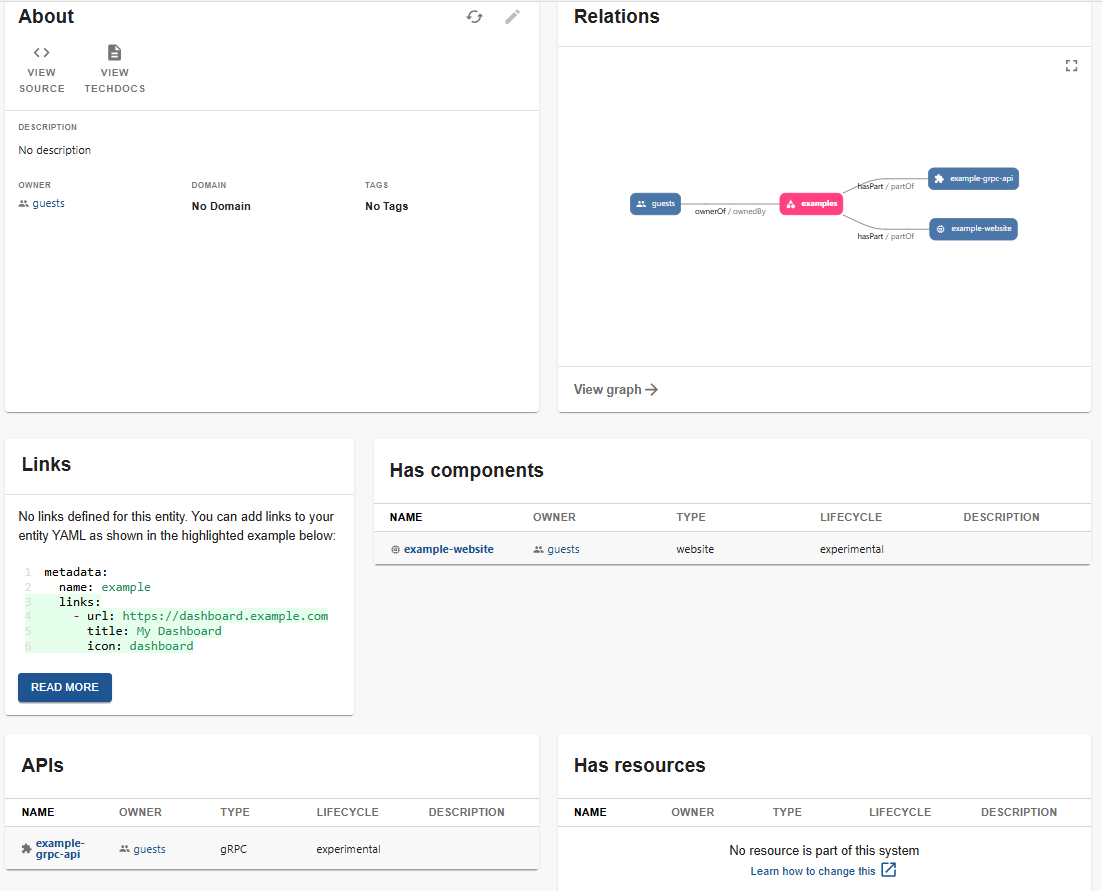
Selecting a System, such as examples, displays About, Relations, and Links similar to a Component, but it also includes Has components, APIs and Has Resources.