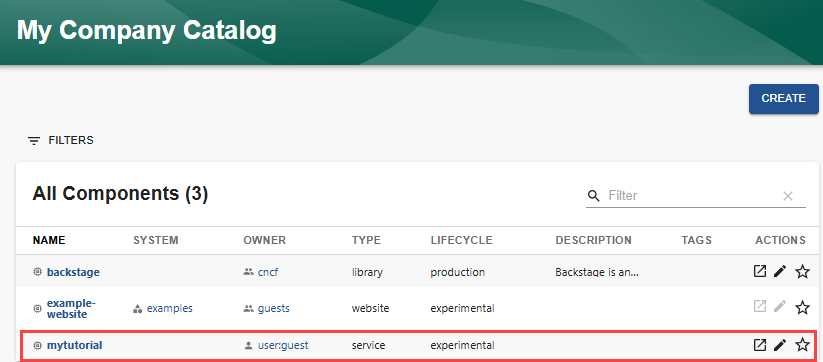
Update a Component
Audience: Developers
Overview
Components in the Software Catalog are created using a software template. The template generates a catalog-info.yaml file in either GitHub or GitLab that defines the entity. To update the component, you must edit its corresponding catalog-info.yaml entity definition file.
Updating the component
To update a component using the Backstage UI:
-
Select the "Edit" icon associated with the component. In this example, the
tutorialentity is selected.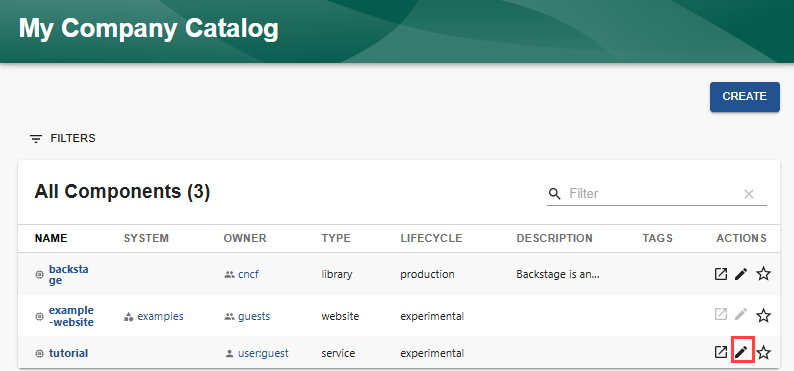
The associated
catalog-info.yamlfile is displayed.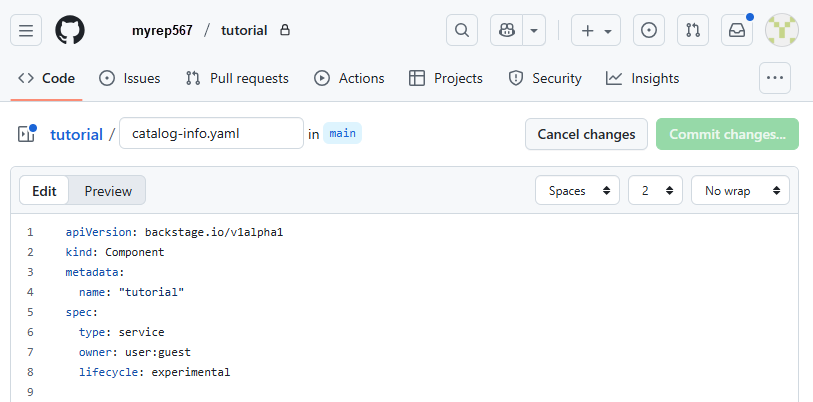
-
Make your changes to the YAML file. In this example, the name of the component is changed to
mytutorial.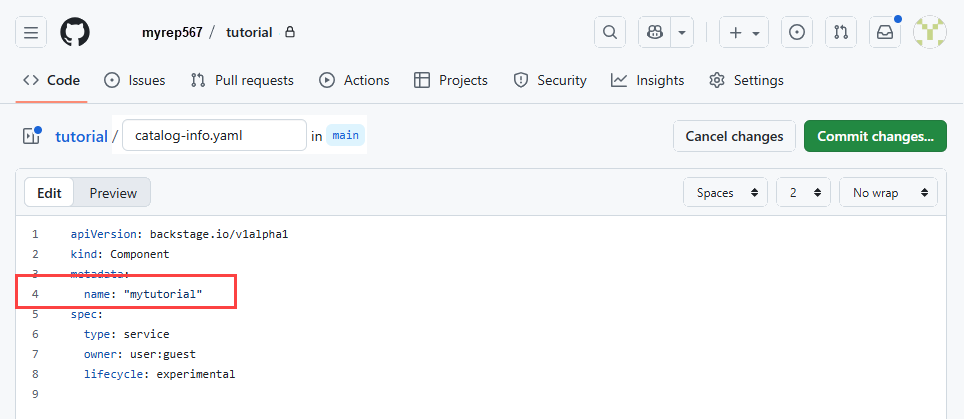
-
Select
Commit changesto commit your changes to the appropriate branch and go through your normal PR review procedure. -
Once the updated
catalog-info.yamlfile has been merged into the branch associated with the component, then you will see the updated information in the Software Catalog.