Unregistering and deleting a component
Audience: Developers
Overview
URLs to YAML files that you registered either using the Create button or by adding to your app-config file are both handled by entity providers.
Implicit deletion occurs when an entity provider issues a deletion of an entity. That entity, as well as the entire tree of entities processed out of it are considered for immediate deletion.
However, you are also able to manually unregister an entity from the Catalog or perform a direct, explicit deletion of individual entities.
Unregistering an entity
You can unregister an entity so it will not be displayed in the Catalog but still keep its catalog-info.yaml file in the repository. This provides the ability to register the entity with the Catalog again in the future.
To unregister an entity:
-
In the Catalog, select the entity you want to unregister. In this example,
mytutorialis being unregistered. -
Select the three dots.
-
Select
Unregister entityin the dropdown menu.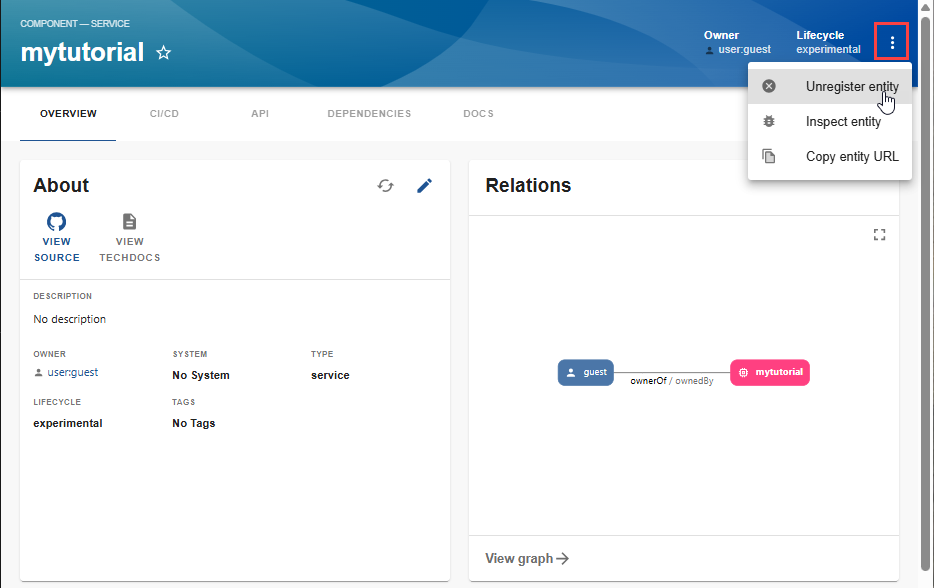
-
Select
UNREGISTER LOCATION. The entity is removed from the Catalog.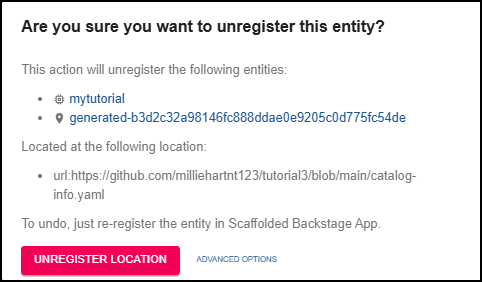
Deleting an entity
You can also delete an entity from the Catalog. However, this requires that you also delete the catalog-info.yaml entity definition file associated with the entity.
To delete an entity:
-
Delete the following entity definition files for the entity in the repository:
- catalog-info.yaml
- index.js
- package.json
-
In the Backstage App Catalog view, select the entity being deleted. In this example,
mytutorialis being deleted.Since you have deleted the entity definition files, an error is displayed that states the
catalog-info.yamlfile cannot be found.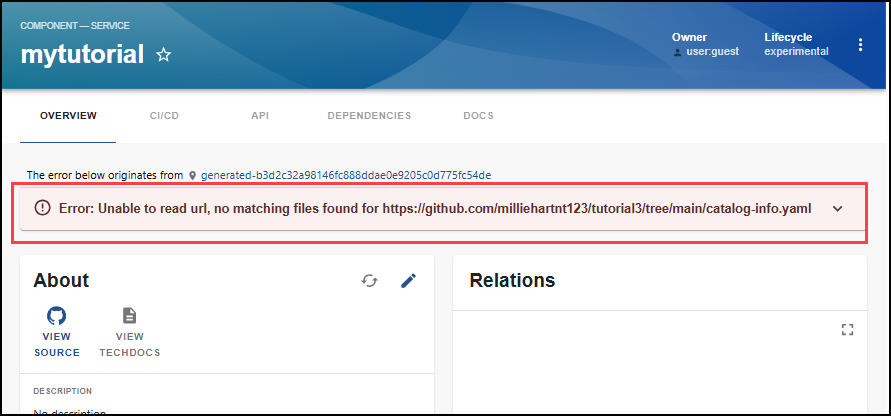
-
Select the three dots.
-
Select
Unregister entityin the dropdown menu. -
Select
ADVANCED OPTIONS.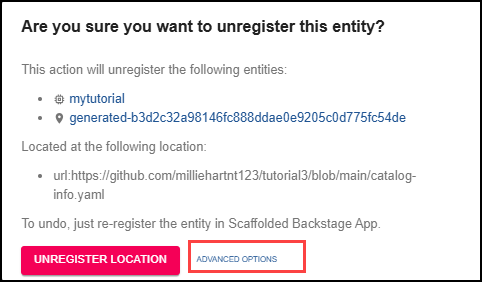
-
Select
DELETE ENTITY.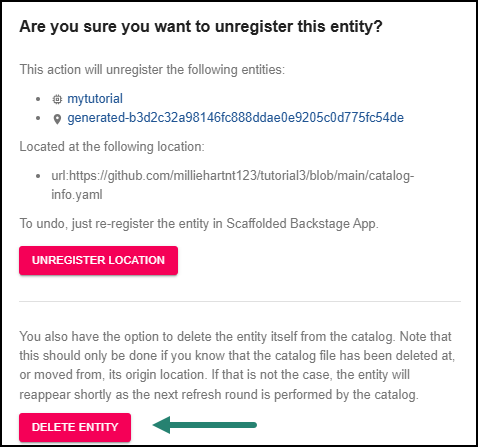
A confirmation message that the entity has been successfully deleted is briefly displayed. The entity is no longer displayed in the Catalog.